Unlock the Digital World with Confidence

Friendly computer & smartphone lessons designed for seniors in Singapore. Learn how to use everyday tech—so you can video‑call family, manage emails, and feel calm instead of confused.

No rushing
Clear steps & patient guidance
Safer habits
Learn to spot scams & avoid mistakes
Smiling senior using a laptop comfortably during a lesson at Keen Knowledge Group in Singapore
Video calls, made simple
Set up Zoom, Google Meet, and Teams with confidence—without feeling overwhelmed.

We use plain language, lots of practice, and real‑life examples from everyday Singapore living—emails, WhatsApp messages, online banking reminders, and joining calls when the family is overseas.

At Keen Knowledge Group, we make technology simple.

Our step‑by‑step lessons and easy‑to‑follow guides help older adults stay connected, confident, and independent. Based in Singapore, we’re on a mission to close the digital divide—one lesson, one click, one calm breath at a time. We believe dignity matters: learning should feel respectful, practical, and encouraging. That’s why our instructors focus on what you actually need—how to open attachments, find photos, adjust text size, and join a call the first time. You don’t need to “keep up” with younger generations—we teach at a pace that makes sense. We also help families understand how to support without taking over, so you can still do it yourself. Expect clear explanations, repeat practice, and check‑ins that answer the questions you might be too shy to ask. Whether you’re learning after retirement, after a hospital break, or simply because you want to feel more in control, you belong here.


Choose a course that fits your everyday life

We teach both the “how” and the “why,” so you can remember confidently. Each course includes practical practice and supportive explanations in plain language.

Computer Basics (Windows & Mac)

Learn how to navigate the desktop, use folders, type comfortably, and manage files you’ll actually use—documents, photos, and downloads. We cover mouse & keyboard basics, how to search confidently, and how to restart safely when things don’t work the first time. You’ll also learn practical habits: adjusting display size, setting up a simple routine for checking email, and saving information so you don’t lose it.

Smartphone Savvy (Android & iPhone)

From unlocking and settings to messaging and photos, this course helps you feel confident with your phone every day. You’ll learn how to make and receive video calls, manage notifications without missing important calls, and use accessibility features for comfort. We’ll guide you through sending messages, adding contacts, saving memories, and safely downloading apps from trusted sources. If you’ve ever felt unsure about “what that button does,” this is for you.

Video Conferencing (Zoom, Google Meet, Teams)

Joining a call should feel normal, not stressful. We teach you how to open links, check audio and camera, and use captions where available. You’ll learn how to mute properly, adjust volume, and handle common issues like “I can’t hear” or “my camera won’t turn on.” We also cover safe meeting habits—avoiding suspicious links and protecting personal details—so you can connect with confidence.

Prefer guidance before you commit?

Send us a message with what you’d like to learn—computer basics, smartphone help, or video calls. We’ll reply with the most suitable course options and a simple next step.

Message Us

How it works

A simple path from “I’m not sure” to “I can do it.” You’ll learn in steps, practice what you need, and leave with skills you can use right away.

1

Choose Your Course

Tell us what you want to do—video calls, email, photos, file basics, or smartphone comfort. We’ll recommend the best course so your learning starts where you are.

2

Learn at Your Own Pace

Our instructors use clear, friendly explanations and guided practice. You can ask questions anytime, and we’ll repeat steps until they feel natural.

3

Stay Connected

Use what you learned immediately—video‑call family, send emails, and browse the web more safely. You’ll understand the steps, not just follow them.

What we focus on

  • Turning settings you see every day into simple choices (font size, volume, accessibility).
  • Building “safe confidence”—how to verify links, recognise suspicious messages, and protect privacy.
  • Practical habits: saving documents, finding photos, and joining calls without last‑minute panic.

What learners say

These are real stories from seniors and caregivers in Singapore who wanted technology to feel friendly again.

“I can now video call my grandchildren in Australia! I used to worry about pressing the wrong button, but the lessons were so patient that I finally felt confident.”
Mdm. Tan Siew Lin • 72
“My son would take over everything on my phone. Now I can send photos and join meetings myself. The step-by-step guidance made all the difference.”
Mr. Lee Kow Seng • 68
“I learned how to handle email without panicking. I can reply to messages, open attachments safely, and find documents again. It feels like getting back control.”
Madam Lim Mei Qi • 61
“The teachers explained things in a calm way. I finally understand what ‘muting’ means on video calls, and how to stop the sound from blasting every time.”
Dr. Victorine Goh • 65
Mdm. Tan smiling after her Keen Knowledge Group class with a friendly instructor in Singapore
A calmer week, thanks to skills that stick
Caregiver notes are welcome too
“What stood out was how they checked understanding. They didn’t just show us once. They made sure we could do it again, even when nervous.”
Assisted learning by family member • Singapore • 2025
Comfort-first instruction

Our goal is simple: you should feel capable—at home, on the go, and during family video calls.

See FAQ

FAQ

Questions we hear often from seniors and family members in Singapore—answered clearly, without jargon.

Do I need my own laptop or smartphone?
You can start with what you have. If you bring your own device, we’ll teach you using your exact settings and apps, which helps learning stick. If you don’t have a device yet, tell us your situation—many learners begin with guided practice using standard setups so they can get familiar safely before choosing what to buy.
What if I miss a class?
Life happens, and we understand. If you miss a session, we help you catch up with clear written steps and recommended practice. If available for your course, we can advise the next best time to rejoin so you don’t feel lost.
Are the courses available in Chinese?
We can support Chinese-language explanations depending on the session and availability. When you message us, share your preferred language and your main goals (for example: video calls, email, or smartphone basics), and we’ll guide you to the best options.
How much do courses cost?
Pricing depends on the course type and schedule you choose. Instead of guessing, send us your preferred course and timing, and we’ll reply with the current package details and what’s included.
Is there support after the course?
Yes. We encourage follow‑up questions and provide practical guidance for day‑to‑day use. The goal isn’t only “finish the class”—it’s to help you keep confidence after the lesson ends.
I’m worried about scams and suspicious messages—do you cover that?
Absolutely. We teach safer habits: how to verify links, what red flags to look for, and how to avoid clicking unknown content. You’ll learn simple steps that reduce risk—especially when messages look urgent or “too good to be true.”

Get Free Computer Tips

Join our newsletter and receive friendly tech guides straight to your inbox—short, clear, and written for seniors and family supporters. Expect practical topics like “How to join video calls with one click,” “Finding photos again,” and “What to do when email looks strange.”

We respect your privacy. Unsubscribe anytime.

Contact Keen Knowledge Group

Send us your learning goals, and we’ll reply with a simple next step. If you’re unsure which course fits, that’s okay—just tell us what you want to be able to do.

Visit & reach us

Address
1092 Lower Delta Road, Singapore 169203
What to include in your message
  • Your main goal (video calls, email, smartphone help)
  • Your current device (optional)
  • Any concerns (for example: difficulty hearing, missing links)

Send a message

We reply with guidance in simple steps—so you always know what to do next.

Tip: Share what you want to learn (for example: “I want to join video calls with my family”).
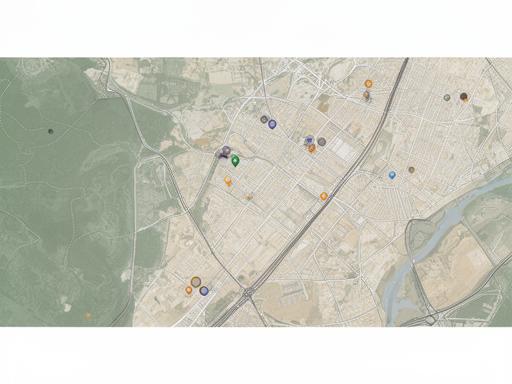
Map image for Keen Knowledge Group in Singapore near Lower Delta Road